

Become Fluent in
Blind Wine Tasting
Curate for Sommeliers pairs an exam-aligned blind tasting note builder with Study Reports that reveal patterns in your blind tasting accuracy, helping you identify gaps in how you read aroma and structure so you can focus practice on the wines you miss most.
From Blinded Pour to Study Plan
Here’s how Curate for Sommeliers fits into a blind tasting practice routine:
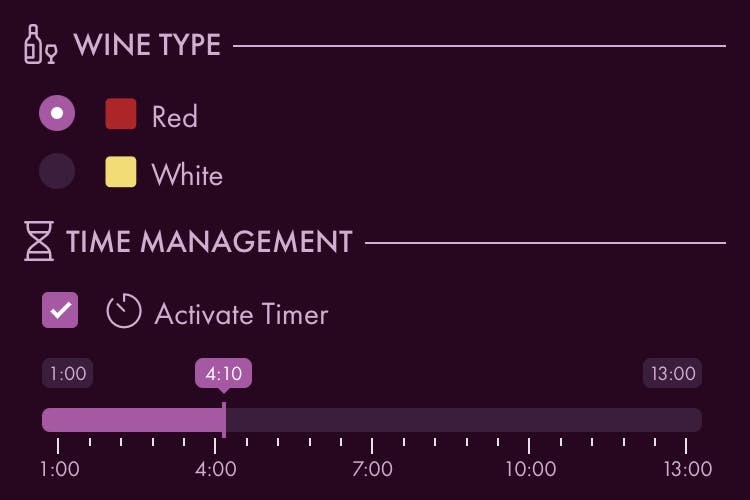
With a blinded glass already poured, open Curate, choose red or white, set your timer, and begin tasting.
Work through the exam-aligned tasting note builder, entering what you observe, smell, and taste as you go. Then make your call for variety, growing region, and vintage.
Reveal the wine and match it to your tasting. Curate scores your conclusion against the wine’s actual grape variety, region, and vintage.
See which exam‑relevant wine styles you miss most and how long you spent completing each section. Use these details to select wines to re-taste before your exam and adjust your time management strategy.

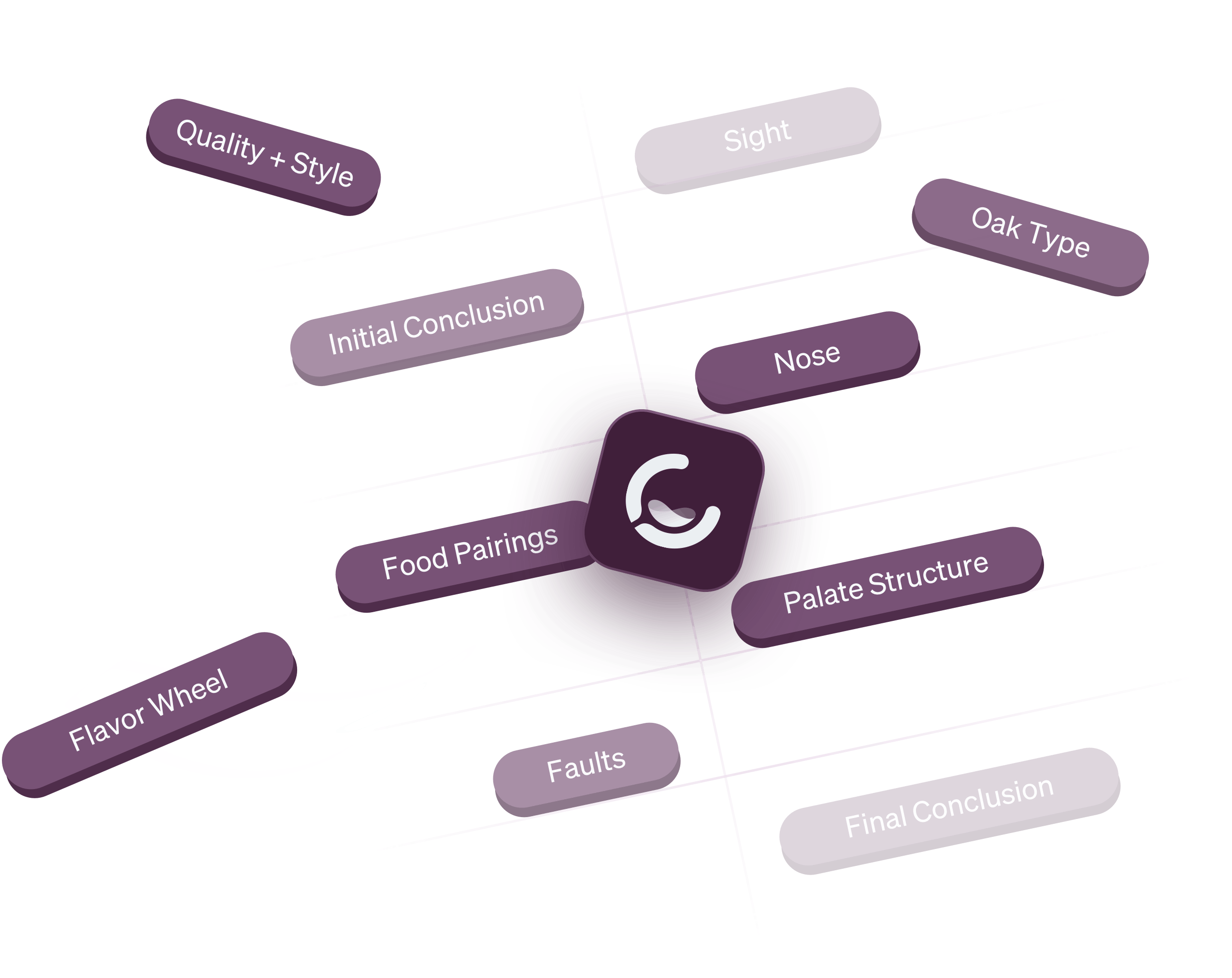
Anatomy of a Tasting Note
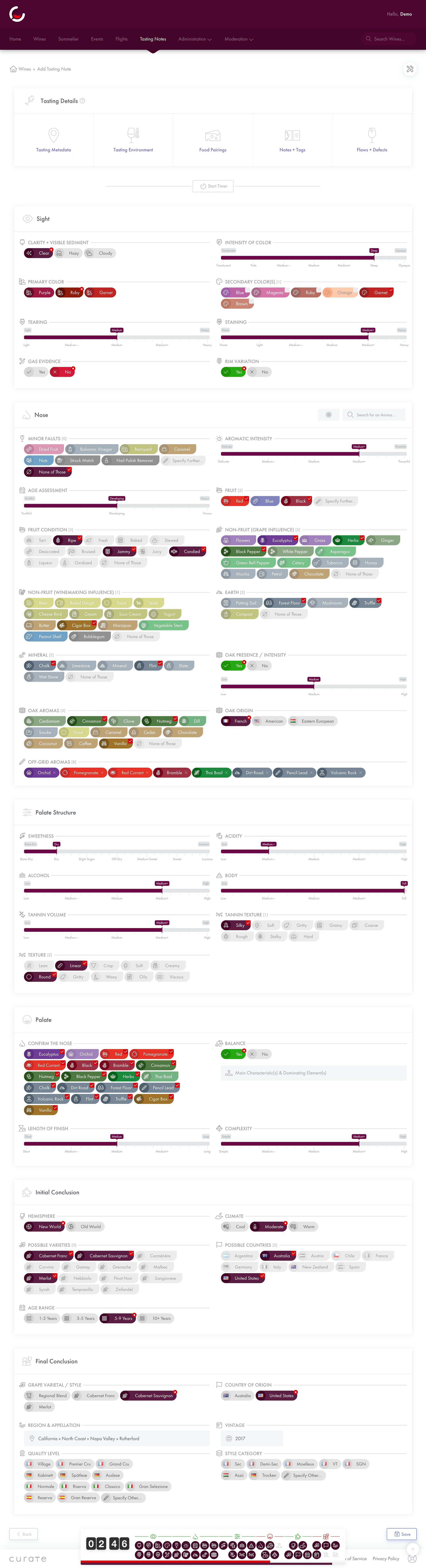
Unlike traditional written paragraphs, tasting notes on Curate are assembled visually from wine‑specific characteristics and qualities.
Aromas + Flavors
Select from over 800 aromas to describe the wine’s bouquet and palate by suggestion, keyword, or by traversing our interactive, color‑coded aroma wheel.
Food Pairings
Attach pairings by individual ingredient or entire entrée. Quickly choose from our curated library of built‑in ingredients and recipes, or add your own custom entries.
Profile Characteristics + Levels
Specify spectrum-based attributes (acidity, body, tannin, etc.) on a sliding scale and check off qualitative characteristics (silky, gritty, etc.)—both with a single tap or click.

Designed for exam preparation
With Curate for Sommeliers, you’ll have access to a specialized version of our tasting note builder designed with Symbolic Learning Theory to strengthen associations and improve recall. Select an exam below to see its in-app format:

Features
Practice blind tasting the way your exam expects, then use your results to focus your ongoing study.
Progress Panel
As you complete your tasting, see the status of every field in every section, your time remaining, and overall completion at a quick glance.
Variable Timer
Activate an optional timer to aid with pacing. Shorten it gradually to work towards exam time limits.
Aroma Wheel
Browse common aroma descriptors using our interactive, color-coded aroma wheel.
Conclusion GuidancePreview
Receive instant alerts when you enter conflicting, improbable, or impossible details, like a high‑tannin Gamay, an unoaked Tempranillo, or an aged Bordeaux with only primary fruit.
Dictation + TranscriptionCMS A/M Only
State your observations verbally and record them as part of your tasting, then see an auto‑generated transcript of what you said alongside your note’s visual descriptors.
Voice ControlCMS A/M Only
When dictation is active, Curate can recognize key words and phrases to automatically make selections in the tasting note builder as you speak (hands‑free).
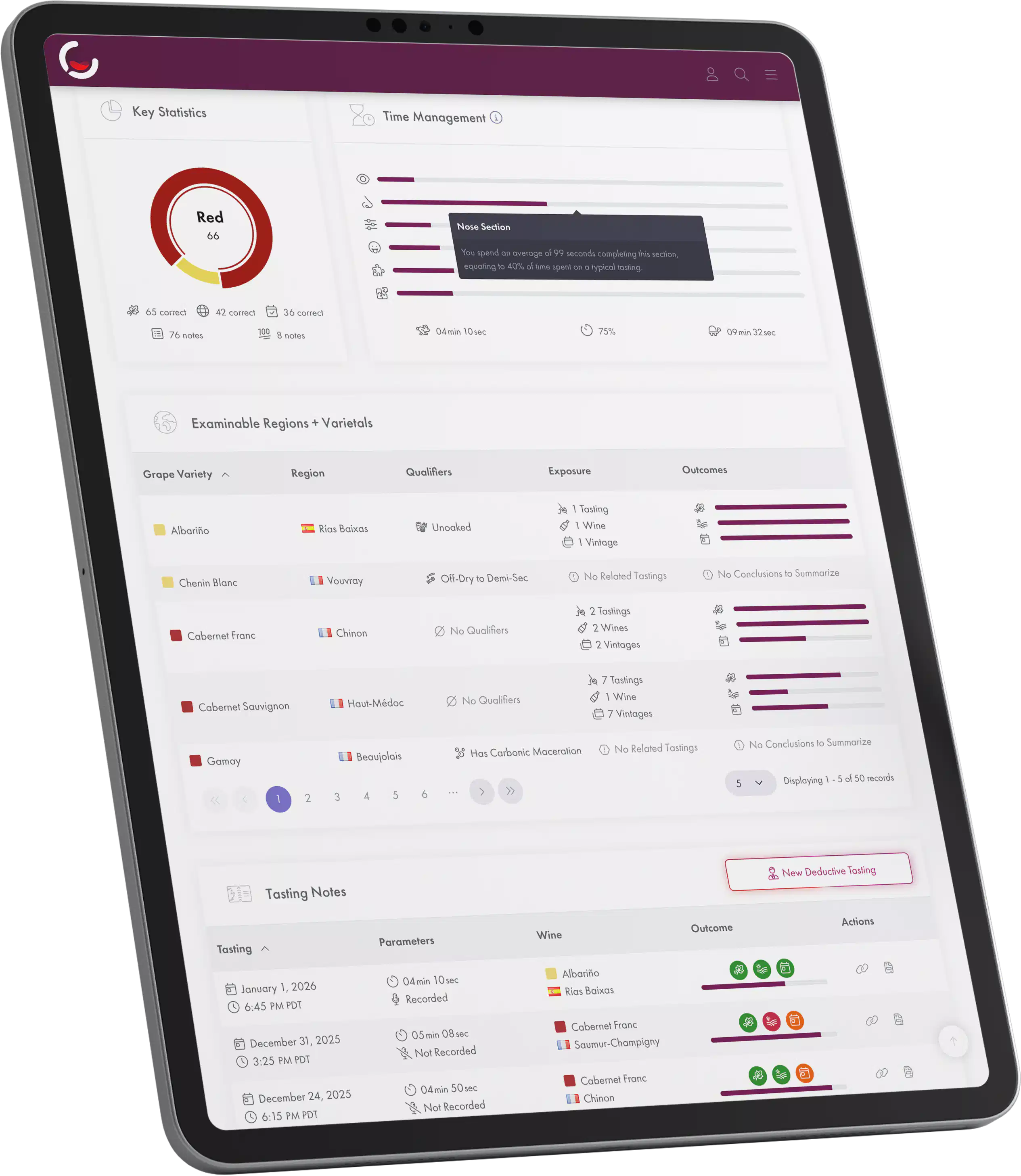
Key Statistics
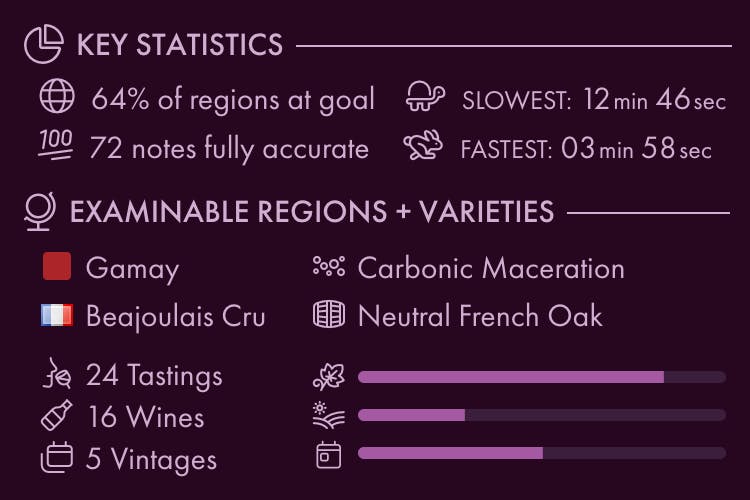
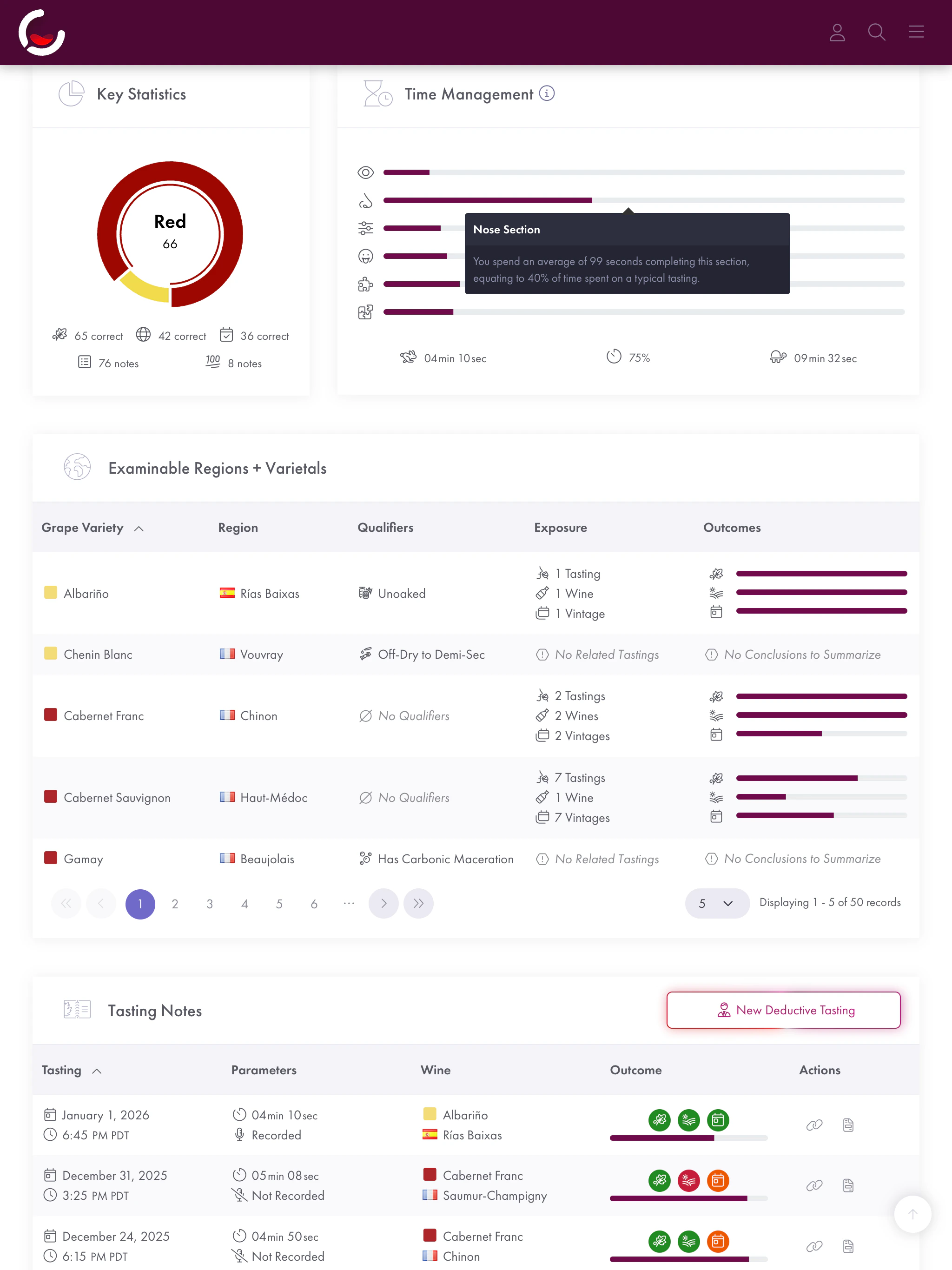
Track how many wines you’ve tasted, a breakdown of reds/whites, and your overall conclusion accuracy.
Time Management
See your average time spent per section, plus your fastest/slowest tastings to avoid falling behind on the exam.
Exam‑Relevant Wine Styles
Explore your personal tasting coverage and conclusion accuracy across every exam‑relevant wine style (combination of grape variety, region / appellation, and key production qualifiers likely to appear on your exam).
Insights Concierge
At your request, we’ll manually review your tasting data and send you a mini‑report (1–2 interactive charts plus 300–500 words) focused on an area of your choosing, highlighting patterns that stand out (e.g., consistently over-calling oak intensity on cool‑climate Chardonnay).
Pricing
Choose the plan that matches the exam you’re studying for.
Money‑Back Guarantee
Every plan includes the same tools. The tasting format and reporting are tailored by certification. Voice features are included only with CMS Advanced / Master.
Money‑Back Guarantee
🤔 Not Sure Yet?
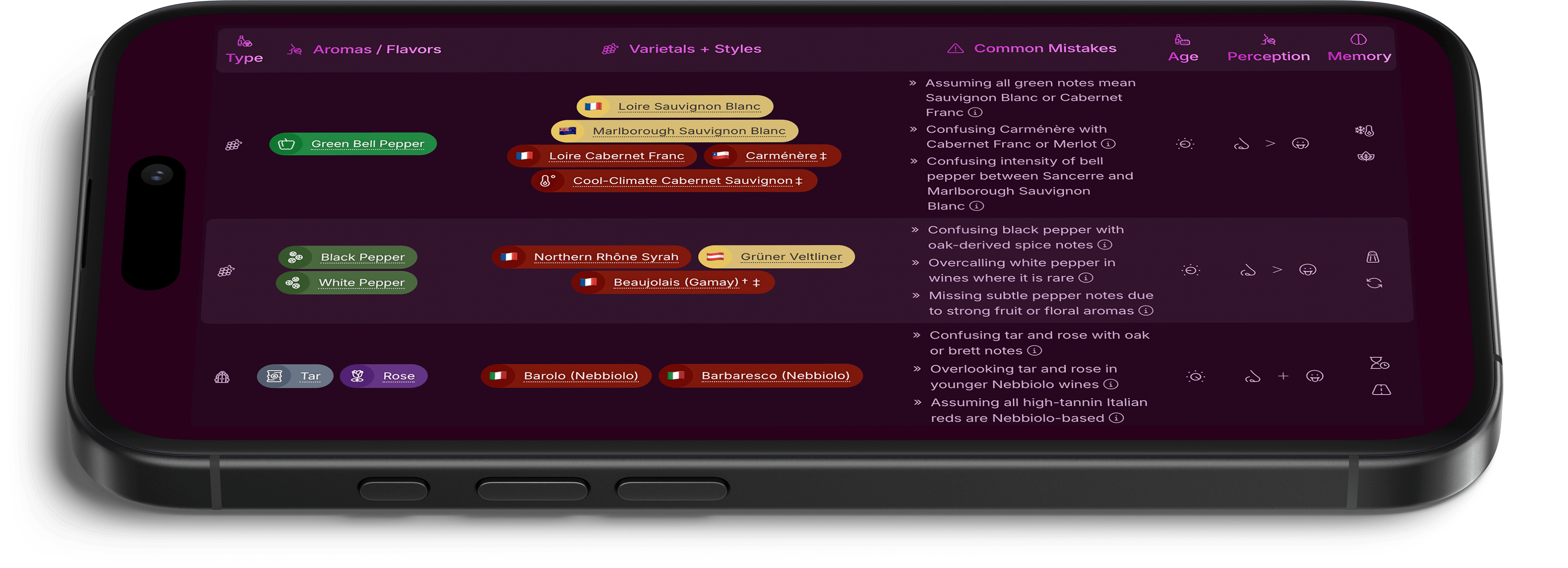
Start with our Free Blind Tasting Mistake Map
FAQ
More details about Curate for Sommeliers and related considerations can be found below:
Curate for Sommeliers is a digital companion to aid in preparing for the blind tasting portion of CMS and WSET sommelier exams. All plans include the Blind Tasting Note Builder in exam-aligned format, Study Reports for tracking the accuracy of blind tasting conclusions, and the Insights Concierge bespoke reporting service.
Curate for Sommeliers: Tastings follow exam-aligned formats (CMS/WSET) with features supportive of improving accurate blind identification of wines in a timed environment. Study reports quantify success and inform choosing wines for ongoing practice.
Curate (Free Accounts): Tastings follow a traditional format (the wine being tasted is known) and are offered in three detail levels. For anyone with an interest in wine, on any occasion: from first-time tasters and casual enthusiasts, to professionals and critics; from saving thoughts on a quick splash, to documenting a critical analysis.
- Available to all accounts, and can be used before/during/after a Curate for Sommeliers subscription.
More Details: Check out the Full Feature Comparison.
No—Curate for Sommeliers focuses on blind tasting execution. You’ll still need to review relevant materials for theory (CMS + WSET) and service (CMS) for success on your exam.
We recommend reviewing the official resources sanctioned by the respective certifying organization to fully prepare for each of their exams:
- For Court of Master Sommeliers exams, visit the CMS Resource Library
- For Wine & Spirit Education Trust exams, visit the WSET Knowledge Centre
No—Curate is an independent software provider, not affiliated with the Court of Master Sommeliers (CMS) or the Wine & Spirit Education Trust (WSET), nor is Curate for Sommeliers endorsed by either organization.
You could, though both approaches come with caveats next to Curate for Sommeliers:
- Structure of Domain Knowledge: Properly modeled wine definitions and tasting notes form a complex web of interrelated data that is cumbersome to design. Curate includes a rich ontology for both, already aligned to exam specifications.
- Solution Completeness: Curate’s features are designed to work in concert. The timer, for instance, isn’t just an on-screen countdown: It’s tied to the logic that tracks time spent per section and field for reporting.
- Time and Correctness: Even with a technical background and modern tooling, confirming the accuracy of underlying data (and any analysis stemming from it) is a substantial undertaking.
Spreadsheets excel at quick tabular work, and AI is useful for prototyping, but our view is that preparing for a professional credential is worthy of purpose-built tooling.
Every Curate for Sommeliers plan includes:
- The Blind Tasting Note Builder, which captures tasting details in an exam‑aligned format with tools specific to deductive/systematic tasting techniques;
- The Study Reports, which use data from prior blind tastings to track the accuracy of concluded wine styles/regions and pacing by section; and
- The Insights Concierge, where our team performs a manual analysis of prior tastings and delivers a bespoke mini-report tailored to a particular goal or problem area.
The layout of the tasting note builder and exam‑relevant wine styles included in reporting correspond to the selected plan.
From a functionality perspective, all plans include the same features (with the exception of voice-enabled sessions, which are exclusive to CMS Advanced/Master). Find more details in Features and Pricing.
No, but with good reason: Much of the value of Curate for Sommeliers is realized only with continued use. Our reporting is personalized, so actionable patterns emerge only once several in‑app tastings have been completed. A short trial would lapse before there’s enough data to provide meaningful insight.
That said, every plan includes a 14‑day money-back guarantee, or you can:
- Try a Live Demo of our blind tasting note builder, no account required.
- Build Tasting Notes in our regular format (non-exam, unblinded) with a free account, no subscription necessary.
Curate can help reduce waste in practice-bottle planning by surfacing styles with low coverage or repeated misses. In blind tasting practice, the wine is the real expense: One bottle of Brunello can cost more than a month of Curate for Sommeliers, while Curate tracks your tastings and helps you choose what to taste next with more care.
Here’s how in detail:
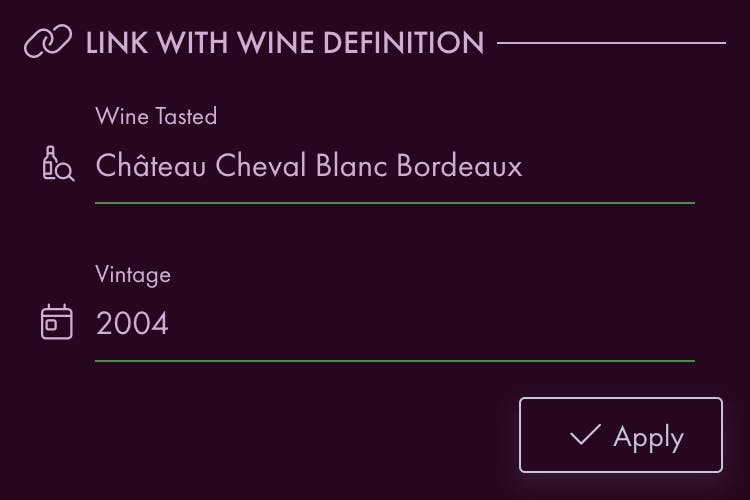
- Complete every tasting in Curate, being sure to link the wine afterwards.
- You can also retroactively add your prior tastings conducted in exam format.
- Curate calculates the accuracy of your call/conclusion automatically.
- Check your Exam‑Relevant Wine Styles report whenever you plan your studies or buy bottles:
- Prioritize buying styles with low coverage or repeated misses
- Deprioritize styles with strong recent coverage and stable conclusion accuracy
With Curate, bottle planning becomes more deliberate: Instead of buying more bottles by default, you can choose bottles that address the gaps Curate surfaces.
If you’re not satisfied and don’t wish to continue with Curate for Sommeliers, just let us know within 14 days of checkout by replying to the onboarding email or Sending Us a Note: We’ll issue a full refund and cancel your plan.
Particulars and legalese can be found in our Terms of Service.
If you were unsuccessful, plan to reattempt, and wish to reset some or all of your reports, let us know and we’ll be happy to revise your account accordingly.
If you were successful (🎉 Congratulations!) and intend to take another exam also supported by Curate for Sommeliers while on an annual billing term, reach out to us for a prorated change of your plan type.
Either way, you can continue to access your full tasting library and build new regular tasting notes (unblinded / non‑exam‑format) even after your subscription ends.
Yes—simply Send Us a Message detailing your situation. We’re able to accommodate both prorated plan changes and multiple plan access for those with the ambition of studying for several exams in tandem.
Simply visit our Billing Portal to cancel your subscription at any time. After cancellation, your plan’s features will remain active until the end of your current billing period (when it would have otherwise renewed).
While you don’t need to contact us to cancel, we do invite you to Get in Touch if you encountered any issues or have feedback to share.
No—each subscription is for individual use only. Curate accounts are designed with a single‑user philosophy because reports reflect your personal tasting library and conclusion-accuracy patterns. You can still use Curate during a group tasting to capture your note, then compare once revealed.
Part of a tasting group with five or more participants? Send Us a Message to learn more about team pricing.
Yes—we’re able to offer a variety of custom terms and services, including cohort onboarding, aggregated reporting, flexible billing, and affiliate marketing. If you represent a school, are a coach, or are part of a large tasting group, Send Us a Message to start the conversation.
No, neither is required—Curate for Sommeliers is a stand‑alone service that works both alongside courses and for independent study. Use it before, during, or after a wine education program for a structured approach to blind tasting.
Likely not—even late in the cycle, our note builder helps calibrate your tasting rhythm and language. We recommend incorporating Curate for Sommeliers into your study routine as early on as possible to maximize the benefits of its personalized reports, but it’s still valuable close to exam day.
Yes—create a new tasting note as you normally would, being sure to set the date the original tasting took place in the ‘Tasting Context’ section of the note builder. With Curate for Sommeliers blinded notes, we recommend only activating the timer during live tastings to avoid introducing a misrepresentative skew on your timing statistics.
Very closely—our sommelier-specific tasting note builder’s structure is informed by materials published by CMS and WSET. We largely use the same sections, question ordering, and options as those presented in official exam resources, and we align with each organization’s preferred terminology.
While we periodically update the app to reflect changes in official exam specifications (versions referenced are listed in our pricing matrix), we recommend verifying the precise current requirements for your exam directly with CMS or WSET.
nb—Although we echo the scope and underlying process of each exam’s framework, the note builder follows Curate’s design language and is visually distinct from CMS- and WSET-provided documents.
- If you’re studying for CMS Certified, we highly recommend familiarizing yourself with the layout of the official Deductive Tasting Grid (available in the CMS Resource Library) to prepare yourself for filling it in during your exam (such grids are not permitted during the tasting portion of other exams).
Every blind tasting is scored by comparing your conclusion (variety, origin, vintage) against the wine’s actual profile. Those results accumulate into a coverage picture specific to your progress.
Use the reports to inform your future practice:
- Key Statistics give an at‑a‑glance view of your tasting progress.
- Exam‑Relevant Wine Styles show what you haven’t tasted, frequently misidentify, and already call consistently.
- Time Management tracks which sections slow you down, so you can target rhythm and pacing as you work through varieties and regions.
The upshot: Rather than tasting at random, your practice sessions are informed by insights from your own tasting library, closing gaps deliberately instead of re‑confirming strengths. For how that affects what you spend on practice bottles, see How do I actually end up saving money with a paid subscription?.
- Begin by adding at least 30 tasting notes in Curate.
- This threshold is where statistically significant patterns begin to emerge.
- Get in touch with us by submitting the Insights Concierge Request Form
- We’ll acknowledge receipt and let you know if any clarifying details would be helpful.
- We’ll sift through the tasting notes you defined as in-scope, analyze them in light of your areas of interest/concern, and compile our findings.
- You’ll receive a mini‑report from us, usually within 2–4 days of your original request, containing:
- 1–2 data visualizations (interactive charts/diagrams), highlighting interesting patterns
- Prose analysis/commentary (~300–500 words), with observations to reference in future tastings
- nb—breadth and length vary based on the specificity of your request and amount of data relevant to it
This service is included at no additional cost on all plans while your subscription is active. After your first request, you can submit an additional request once every 60 days or for every subsequent 50 tasting notes entered.
Exams are timed, so the timer helps in building a repeatable pace. Set a generous time target when starting out, then gradually shorten it. Use it as a visible countdown, or keep it hidden in the background to minimize distractions.
These exist to support the verbal component of the CMS Advanced and CMS Master exams:
- Dictation creates an audio recording of your session, saved as part of your tasting note.
- Transcription generates a written transcript of what was said in your dictation (i.e., speech‑to‑text).
- Voice Control automatically fills in the tasting note builder by listening for key phrases spoken aloud.
nb—Voice‑enabled tastings are subject to a quota of 20 sessions per month (monthly plans) or 250 sessions per year (annual plans). All sessions are allotted at the start of the plan and usable at any point throughout the subscription term; this quota resets upon renewal. Blind tastings conducted with voice features disabled are not metered.
We’d love to hear it. If there’s a workflow, report, tasting tool, or study feature that would make Curate for Sommeliers more useful for your exam preparation, please Send Us a Message.
We can’t promise every request will make it into the app, but subscriber feedback has a strong influence on our roadmap planning.
Curate for Sommeliers is available within our Webapp, which works on any device using modern versions of Chrome, Edge, Firefox, or Safari.
When building tasting notes, we recommend using a tablet or laptop to see more options at once without scrolling, but smartphones are supported.
nb—While regular/free tasting notes can be built within our native iOS/Android app, Curate for Sommeliers’ blind tasting mode is only available in our web app for browsers, which can be used in Safari on iPhone or iPad, or Chrome on Android (just navigate to https://app.curate.wine).
Of course not! Curate is designed to hold your personal tasting library, including before and after exam preparation. When your subscription ends, you’ll lose only the ability to start new exam‑format/blind tasting sessions. You can always freely build new regular tasting notes (unblinded Quick, Standard, and Advanced detail levels) and access your account’s complete tasting library.
You’ll also still be able to access your sommelier study reports (though the details shown in them won’t change unless you were to add new blinded tasting notes under an active subscription).
Taking a pause from exam preparation? If you cancel and later re‑subscribe, you can pick up right where you left off.
This isn’t currently possible via the app, but you can Send Us a Message and we’ll be happy to prepare an export of your tasting data in CSV format (suitable for use in Microsoft Excel, Google Sheets, Apple Numbers, Tableau, etc.).
We’re committed to our users’ privacy. Here are some relevant highlights from our Privacy Policy:
- We do not sell, rent, trade, or monetize user data, and we do not disclose it to third parties for advertising, marketing, data brokerage, resale, or other independent commercial purposes.
- Service providers we use to operate Curate receive only the information reasonably necessary to perform their functions on our behalf and are bound by confidentiality, privacy, and security obligations. This includes vendors providing web hosting and cloud infrastructure, payment processing, transactional email, analytics, error monitoring, security, consent management, and voice transcription services.
- Users decide who can see their tasting notes.
- Visibility can be set on a per‑note basis. Private notes are visible only to their author while signed in, except as described in our Privacy Policy for limited purposes including support, legal compliance, abuse prevention, and content integrity review.
- Public notes are visible to everyone, and may be copied, cached, saved, or re‑shared by other users.
- For tasting notes shared with other users:
- Only your first name and last initial are shown.
- At this time, these fields are not displayed to other users you allow to see your note: Location (venue names and geolocation), names of tasting partners, inebriation level, user‑defined tags, photos, and personal notes.
- Privacy settings planned for a future update will allow you to optionally and selectively share these details with friends or other users.
- For blinded tasting notes using voice features, the audio recording and transcription are shown only to the note author regardless of the note’s visibility setting.
- User data is encrypted in‑transit and at‑rest.
- We follow a variety of industry‑standard best practices to proactively prevent unauthorized access to the systems and infrastructure that power Curate.
For any questions not covered here, we invite you to Send Us a Message for further clarification.
Technical support and light data analysis (Insights Concierge) are included. We endeavor to respond to all support inquiries within 48 hours. Subscribers also have the option of a 15‑minute video call to work through an issue synchronously.
Exam coaching and questions pertaining to wine theory are outside the scope of requests we’re able to accommodate.
Send Us a Message and we’ll be happy to answer other questions you may have surrounding Curate for Sommeliers or the broader Curate app.
🧐 On the Fence?
Compare Curate for Sommeliers vs. Our Free App
Not Studying Now?
If you aren’t actively studying for a wine professional exam but plan to in the future, we can send you more details when you plan to begin practicing blind tasting:
For Restaurants & Educators
Already a sommelier or working in the wine industry? Get in touch to learn about our offerings for restaurants and bars, hotels and resorts, wineries, and wine educators:
Tasting Notes for Every Occasion
Neither of the above? Curate’s free tasting note builder is available to everyone. Explore wines, build visual tasting notes, and start your personal tasting library:



Free
$22–49/mo
Use the same account for both free and paid features across the app and web experience.
Subscribers can choose between the regular and blind note builders for each tasting, on the fly.
Upgrade, downgrade, or cancel at any time; you’ll always have access to all tasting notes in your account.